
Jump to Any Accessory
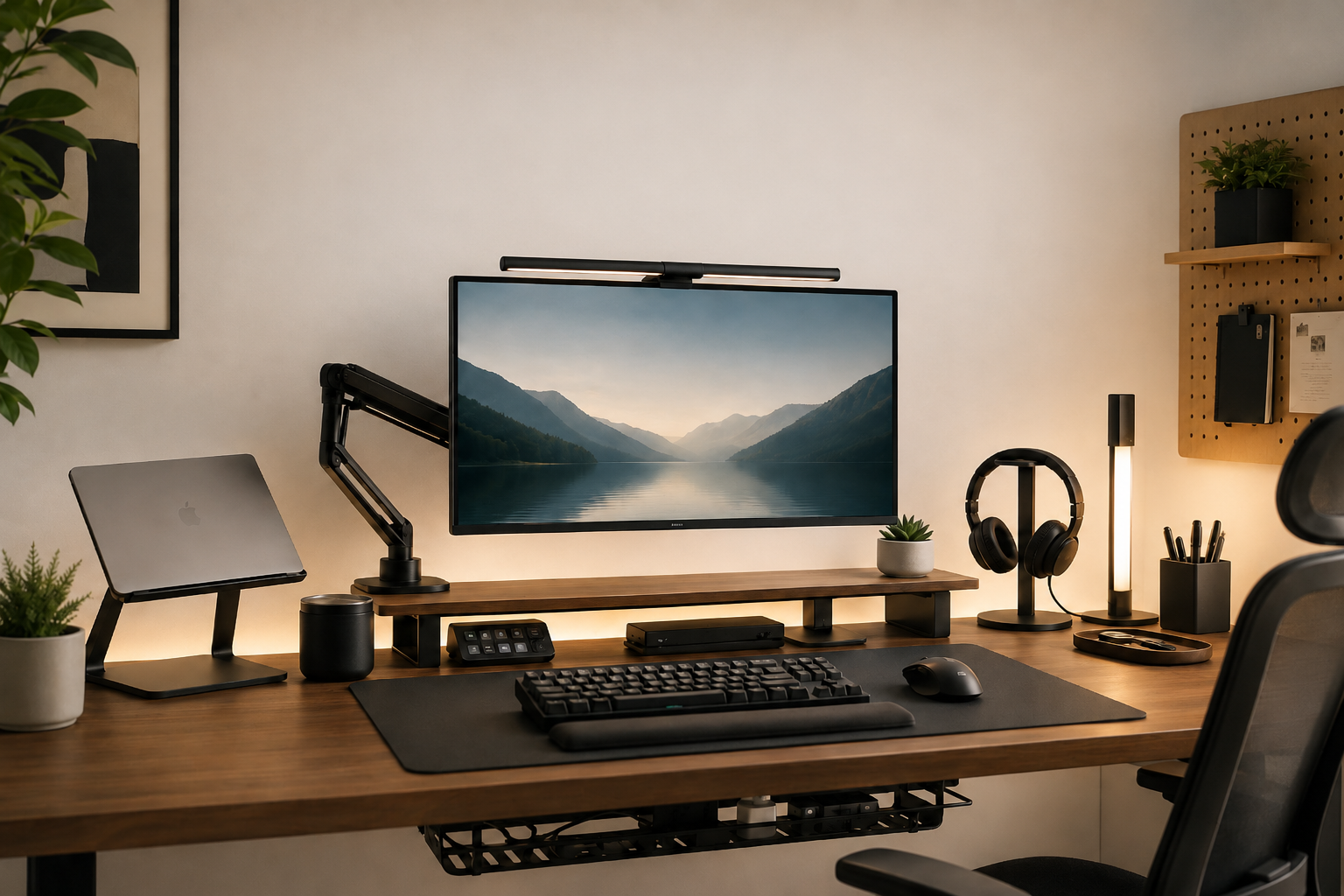
A clean desk setup is about more than aesthetics. The right accessories can help you reduce cable clutter, free up valuable desk space, improve comfort, and make your workspace easier to use every day.
In this guide, we’ve selected 15 practical desk accessories for work, gaming, and home office setups. From monitor stands and cable management tools to lighting and organization accessories, these upgrades can help you build a cleaner and more functional desk without replacing your entire setup.
Quick Picks
Short on time? Here are a few standout desk upgrades from our list:
- Best for monitor positioning: Monitor Arm
- Best for cable management: Under-Desk Cable Tray
- Best for lighting: Monitor Light Bar
- Best for laptop setups: Laptop Stand
- Best simple upgrade: Large Desk Mat
15 Best Desk Accessories for a Clean Setup
1. HUANUO FlowLift Single Monitor Mount
[Product image will be added here. In progress]
The HUANUO FlowLift Single Monitor Mount is a practical upgrade for anyone looking to free up desk space and gain more control over monitor positioning. Its gas-spring arm allows the screen to move up, down, tilt, swivel, and rotate without taking up the large footprint of a traditional monitor stand.
It supports monitors from 13 to 32 inches weighing between 4.4 and 19.8 pounds and works with common 75×75 mm and 100×100 mm VESA mounting patterns. Both clamp and grommet mounting hardware are included, making it suitable for a wide range of desk setups.
Why it’s useful:
Frees up desk space while giving you much more flexibility over monitor height and position.
Best for:
Home offices, gaming setups, minimalist desks, and 24–32″ monitors.
Pros:
- Gas-spring height adjustment
- Clamp and grommet mounting options
- Integrated cable management
- Full tilt, swivel and rotation
- Much cheaper than premium monitor arms
Consider
Check your monitor weight and VESA pattern before buying.
Larger/heavier ultrawides may require a heavy-duty arm instead.
Premium Alternative: Ergotron LX
If you want a more premium monitor arm with stronger build quality, smoother adjustment, and better support for heavier displays, the Ergotron LX is a strong upgrade. It costs significantly more, but it is better suited to high-end workstations and long-term use.
Best for: Premium workstations, heavier monitors, and buyers who want maximum durability.
2. YSAGi PU Leather Desk Pad
[Product image will be added here. In progress]
The YSAGi PU Leather Desk Pad is a simple way to make a desk feel cleaner and more organized while also protecting the surface underneath. Its large 31.5 × 15.7-inch size provides enough space for a keyboard, mouse, and everyday desk accessories without taking over the entire workspace.
The PU leather surface is easy to wipe clean and helps create a consistent visual base for the rest of your setup. It works especially well for home offices and minimalist desks where a traditional gaming mouse pad may look out of place.
Why it’s useful:
Creates a cleaner visual workspace, protects the desk surface, and gives your keyboard and mouse one consistent working area.
Best for:
Home offices, minimalist setups, work desks, and anyone looking for an inexpensive visual upgrade.
Pros:
- Large surface for keyboard and mouse
- Easy-to-clean PU leather
- Helps protect the desktop
- Minimalist appearance
- Affordable compared with premium desk mats
Consider
PU leather will not have the same premium feel or long-term aging characteristics as genuine leather.
People who prioritize competitive mouse tracking may prefer a cloth gaming desk pad instead.
Premium Alternative: Orbitkey Desk Mat
If you want a more premium desk mat with built-in organization features, the Orbitkey Desk Mat is a strong upgrade. Its design includes a magnetic cable holder and a hidden document layer, helping keep charging cables and loose papers under control while maintaining a clean workspace.
Best for: Premium home offices, minimalist setups, and users who want extra organization built directly into their desk mat.
3. Yecaye 25″ Under-Desk Cable Manager
[Product image will be added here. In progress]
The Yecaye 25″ Under-Desk Cable Manager is one of the most effective upgrades for removing visible cable clutter from a desk setup. Instead of leaving a power strip, chargers, and loose cables on the floor, the tray keeps them organized underneath the desktop.
Its clamp-based mounting system does not require drilling, making it a practical option for home offices, gaming desks, and setups where you do not want to permanently modify the desk. The long tray also provides enough room for larger power strips and multiple adapters.
Why it’s useful:
Keeps power strips, adapters, and excess cable length off the floor and largely out of sight.
Best for:
Gaming setups, home offices, standing desks, and workspaces with several powered devices.
Pros:
- No-drill clamp installation
- Long tray provides plenty of cable storage
- Metal construction
- Helps keep power strips off the floor
- Easy to remove or reposition
Consider
Check that your desk edge has enough clearance for the clamps.
Very small desks may not have enough room for a 25-inch tray.
Premium Alternative: Univivi 36″ Cable Management Tray
If you want to hide more than just a few cables, the Univivi 36″ Cable Management Tray offers significantly more capacity. Its enclosed fabric design can hold a large power strip, adapters, chargers, and long cable runs while keeping them mostly hidden from view.
The tray can be installed with clamps without drilling, and its fold-open design makes it easier to access cables when you need to change or add devices.
Best for: Large desks, multi-monitor setups, standing desks, and users who want cables almost completely hidden.
Consider: Fabric hides cables better than an open metal tray, but it may not feel as rigid or durable over many years as steel.
4. BenQ ScreenBar Monitor Light
[Product image will be added here. In progress]
he BenQ ScreenBar is a practical lighting upgrade for anyone who works or games at a desk after dark. Instead of taking up valuable desk space like a traditional lamp, it mounts directly on top of the monitor and directs light down toward the keyboard and workspace.
Its asymmetric lighting design is intended to illuminate the desk while reducing glare on the display, making it especially useful for evening work, reading, and long computer sessions. BenQ positions the standard ScreenBar as its original everyday monitor-light option, while newer models add wider coverage and extra automation features.
Why it’s useful:
Adds focused desk lighting without taking up extra desk space or shining directly into the screen.
Best for:
Home offices, gaming setups, study desks, and anyone who regularly uses a computer in darker rooms.
Pros:
- Saves desk space
- Designed to reduce screen glare
- Adjustable brightness
- Adjustable color temperature
- Clean minimalist appearance
- Mounts directly on the monitor
Consider
Check monitor thickness and compatibility before buying.
It costs more than many basic monitor light bars.
Very curved or unusually shaped monitors may need a different ScreenBar model. BenQ itself lists compatibility differences across models.
Premium Alternative: BenQ ScreenBar Halo 2
If you want a more advanced monitor light, the ScreenBar Halo 2 adds front and rear lighting, a wireless controller, automatic dimming, and automatic on/off sensing. It is designed for users who want more balanced lighting around the monitor, especially in darker rooms.
Best for: Premium desk setups, dark rooms, long evening work sessions, and users who want automatic lighting controls.
Consider: It is significantly more expensive than the standard ScreenBar, so the extra features make the most sense if you regularly use your setup at night.
5. Lamicall Under-Desk Headphone Hanger
[Product image will be added here. In progress]
The Lamicall Under-Desk Headphone Hanger is a simple way to keep headphones off the desk while still keeping them within easy reach. Instead of using valuable desktop space for a traditional stand, the hanger mounts underneath the desk and keeps the headset tucked away when it is not in use.
Its rotating design makes it easy to swing the hook outward when you need your headphones and back underneath the desk when you are finished. The clamp version supports desk edges from about 0.20 to 1.97 inches thick and uses soft protective pads to reduce scratching.
Why it’s useful:
Keeps bulky headphones off the desktop and helps maintain a cleaner workspace.
Best for:
Gaming desks, small workspaces, headphone-heavy setups, and anyone who wants to maximize desk surface area.
Pros:
- Saves desk space
- No drilling required
- Rotates underneath the desk
- Soft padding helps protect the headset and desk
- Works with most over-ear gaming and work headphones
Consider
Check the thickness and shape of your desk edge before buying.
A clamp-style hanger may not work well with desks that have drawers or thick framing directly underneath.
Premium Alternative: Oakywood Headphones Stand
If you prefer to display your headphones instead of hiding them under the desk, the Oakywood Headphones Stand is a more premium option. It combines a solid oak or walnut base with a steel handle and is designed to hold both on-ear and over-ear headphones while adding a cleaner, furniture-like look to the setup.
Best for: Premium home offices, minimalist setups, and users who want their headphones to be part of the desk design.
Consider: It takes up some desktop space, so an under-desk hanger is still the better choice if maximum surface area is the priority.
6. Nulaxy C1 Adjustable Laptop Stand
[Product image will be added here. In progress]
The Nulaxy C1 Adjustable Laptop Stand is a practical upgrade for laptop-based desk setups. Raising the laptop screen helps create a more comfortable viewing position while also freeing up some usable space around the computer.
Its adjustable aluminum design lets you change both the height and viewing angle, while the open structure helps improve airflow around the laptop. The stand folds down when needed and supports laptops from 10 to 17 inches, making it suitable for a wide range of work and gaming setups.
Why it’s useful:
Raises the laptop screen, creates a cleaner workstation, and makes it easier to use a laptop alongside an external keyboard, mouse, or monitor.
Best for:
Home offices, laptop-based workstations, hybrid work setups, and users who use an external keyboard and mouse.
Pros
- Adjustable height and viewing angle
- Fits laptops from 10 to 17 inches
- Foldable design
- Aluminum construction
- Open design helps with airflow
- Can support heavier laptops
Consider
- An external keyboard and mouse will usually provide the most comfortable setup when the laptop is raised.
- It takes up more desk depth than a simple vertical laptop holder.
Premium Alternative: Rain Design mStand
If you prefer a more minimal, premium-looking laptop stand, the Rain Design mStand is a strong alternative. It uses a single-piece aluminum construction with a large base designed for stability and includes rubber padding to protect the laptop.
The mStand also includes a rear cable-management opening and has enough surface area to securely hold laptops such as the 16-inch MacBook Pro.
Best for: Premium home offices, minimalist Apple-style setups, and users who prioritize stability and clean industrial design.
Consider: The mStand has a fixed height and angle, so the Nulaxy C1 offers more adjustment flexibility.
7. Anker 332 USB-C Hub (5-in-1)
[Product image will be added here. In progress]
The Anker 332 USB-C Hub is a compact way to add more connectivity to a laptop without filling the desk with separate adapters. It turns a single USB-C connection into multiple useful ports for displays, storage devices, peripherals, and charging.
It includes a 4K HDMI output, one USB-C data port, two USB-A data ports, and a USB-C Power Delivery input. The data ports support transfer speeds up to 5 Gbps, while the HDMI connection supports an external display at up to 4K at 30Hz. It can also provide up to 85W of pass-through charging to a compatible laptop when connected to a suitable charger.
Why it’s useful:
Reduces the number of separate adapters around your workspace and makes it easier to connect monitors, storage devices, keyboards, mice, and other accessories through a single USB-C connection.
Best for:
Laptop setups, home offices, minimalist workspaces, and users who need a few extra ports without buying a full docking station.
Pros
- Five ports from a single USB-C connection
- HDMI output for an external monitor
- USB-C and USB-A data connections
- Up to 5 Gbps data transfer
- Supports pass-through laptop charging
- Compact enough to keep a desk setup clean
Consider
- HDMI output is limited to 4K at 30Hz.
- The USB-C data port does not provide video output.
- Your laptop’s USB-C port must support the features you want to use, such as DisplayPort Alt Mode for an external display.
Premium Alternative: Anker 555 USB-C Hub (8-in-1)
If your desk setup needs more connectivity, the Anker 555 is a more capable option. It expands to eight ports and adds faster 10 Gbps data connections, Gigabit Ethernet, SD and microSD card readers, and HDMI output at up to 4K at 60Hz.
It also supports up to 85W of pass-through charging for a compatible laptop, making it better suited to a permanent workstation where a laptop frequently connects to a monitor, wired network, external drives, and other peripherals.
Best for: More advanced home offices, content-creation setups, and laptop users who want one hub to handle displays, storage, Ethernet, and peripherals.
Consider: The extra ports make it larger and more expensive than the Anker 332, so it may be unnecessary for a simple setup that only needs HDMI and a few USB connections.
8. Blue Key World Cable Clips
[Product image will be added here. In progress]
Blue Key World Cable Clips are a small but surprisingly useful addition to a clean desk setup. They attach to the desk with an adhesive backing and keep individual charging, USB, or peripheral cables exactly where you want them instead of letting them fall behind the desk.
Because each clip can be positioned separately, you can place them near a laptop, monitor, charging station, or along the side of the desk without creating another bulky cable organizer on the desktop.
Why it’s useful:
Keeps frequently used cables within reach and prevents them from sliding behind the desk when disconnected.
Best for:
Charging cables, USB cables, minimalist desks, bedside workspaces, and setups where only a few individual cables need to stay accessible.
Pros
- Very small and unobtrusive
- Easy peel-and-stick installation
- Each cable can be positioned separately
- Helps prevent cables from falling behind the desk
- Works well alongside an under-desk cable tray
Consider
- Adhesive clips should be positioned carefully because moving them later may weaken the adhesive.
- They are better for individual cables than for organizing a large bundle of wires.
9. Micomlan LED Desk Lamp with Clamp
[Product image will be added here. In progress]
The Micomlan LED Desk Lamp with Clamp is a better fit for users who want broader lighting across the entire workspace rather than light focused mainly around the monitor. Its clamp-mounted design also keeps the desktop clear, which makes it especially useful for larger workstations and multi-monitor setups.
The lamp uses a wide adjustable arm with multiple joints, allowing the light to be positioned over different parts of the desk. It also includes adjustable brightness and color temperature settings, along with automatic dimming on supported models.
Why it’s useful:
Provides wider and more flexible lighting for the entire desk while using almost no desktop surface area.
Best for:
Large desks, dual-monitor setups, home offices, studying, drawing, and workspaces where you frequently use documents alongside a computer.
Pros
- Clamp mount preserves desk space
- Wide lighting coverage
- Highly adjustable arm
- Adjustable brightness and color temperature
- Suitable for larger work surfaces
- Useful for both screen work and paper-based tasks
Consider
- The large arm may look oversized on very small desks.
- Clamp mounting requires a suitable exposed desk edge.
- If you only need lighting directly in front of one monitor, a monitor light bar may be the cleaner option.
Premium Alternative: BenQ e-Reading Desk Lamp
If you want a more premium lighting solution, the BenQ e-Reading Desk Lamp is designed to illuminate a much wider area of the workspace while automatically adapting to surrounding light conditions.
Its curved light head provides approximately 35.4 inches (90 cm) of lighting coverage, while an ambient light sensor can automatically adjust the output for screen or paper-based work. Brightness and color temperature can also be adjusted manually.
Best for: Premium home offices, large workstations, dual-monitor desks, creative work, and users who frequently switch between screens and documents.
Consider: The BenQ takes up more physical space and costs considerably more than a typical clamp-mounted LED desk lamp, so its wider coverage and automatic lighting features make the most sense for users who spend many hours at their desk.
10. Anker MagGo Wireless Charger (Stand)
[Product image will be added here. In progress]
The Anker MagGo Wireless Charger (Stand) is a clean way to keep a compatible phone charged without leaving another loose charging cable across the desk. Its magnetic stand keeps the phone upright and visible, making it convenient for notifications, calls, timers, or simply checking the time while working.
The charger supports Qi2 wireless charging at up to 15W for compatible phones and can also charge compatible wireless earbuds. Its compact stand design takes up relatively little desk space while giving the phone a dedicated place in the setup.
Why it’s useful:
Gives your phone a permanent charging spot while reducing loose cables and keeping the screen visible during work or gaming.
Best for:
Minimalist desks, home offices, iPhone setups, and users who regularly keep their phone beside the computer.
Pros
- Qi2 wireless charging up to 15W
- Magnetic alignment makes positioning easy
- Keeps the phone upright and visible
- Compact footprint
- Can also charge compatible wireless earbuds
- Helps reduce loose charging cables on the desk
Consider
- Maximum charging speed depends on device compatibility.
- Magnetic alignment works best with Qi2 or MagSafe-compatible phones and cases.
- It charges one device at a time, so users with several Apple devices may prefer a multi-device station.
Premium Alternative: Belkin BoostCharge Pro 3-in-1 Qi2 Charging Stand
If you regularly charge several Apple devices at your desk, the Belkin BoostCharge Pro 3-in-1 is a more complete charging station. It can charge a compatible iPhone at up to 15W while also charging an Apple Watch and AirPods, allowing three devices to share one organized charging area.
The phone mount also offers up to 90 degrees of tilt and supports Apple’s StandBy feature, making it useful as a small desk display while the phone charges. A 36W power supply is included.
Best for: Premium Apple-focused desk setups and users who want one charging station for their phone, watch, and earbuds.
Consider: It takes up more space and is considerably more elaborate than a simple phone charger, so the Anker MagGo remains the cleaner choice if you only need to charge one phone.
11. Aothia 43″ Solid Wood Dual Monitor Stand
[Product image will be added here. In progress]
The Aothia 43″ Solid Wood Dual Monitor Stand is a simple way to add another level of usable space to a desk while giving the setup a cleaner, more organized appearance.
Its long wooden platform can hold two monitors or a combination of a monitor and laptop, while the open space underneath can be used for a keyboard, notebooks, small accessories, or other items that would normally clutter the desktop.
Unlike a monitor arm, the stand requires no clamps, drilling, or VESA mounting. You simply place it on the desk and arrange your equipment on top.
Why it’s useful:
Adds vertical storage space, raises monitors slightly, and creates a dedicated area underneath for accessories or a keyboard.
Best for:
Dual-monitor setups, home offices, wooden desk setups, minimalist workspaces, and users who want additional storage without mounting hardware.
Pros
- Wide 43-inch platform
- Suitable for two monitors
- Solid wood construction
- No drilling or clamps required
- Creates useful storage underneath
- Helps visually organize the desk
Consider
- The height is fixed, so it does not offer the flexibility of an adjustable monitor arm.
- A 43-inch shelf requires a reasonably wide desk.
- It still occupies desk depth, unlike a monitor arm that completely lifts the screen base off the desktop.
Premium Alternative: Grovemade Desk Shelf
If you want a more refined desk shelf with premium materials and a stronger focus on design, the Grovemade Desk Shelf is a high-end alternative.
The shelf combines hardwood, aluminum, and cork and is available in several widths ranging from compact single-monitor versions to extra-large models for wider workstations. Grovemade rates the shelf to support monitors up to 50 pounds, while the space underneath provides additional storage without adding drawers or bulky organizers.
Best for: Premium home offices, minimalist workspaces, design-focused setups, and users who want their desk shelf to feel like part of the furniture rather than another computer accessory.
Consider: The Grovemade Desk Shelf costs substantially more than typical monitor risers, so it makes the most sense when materials, finish, and overall desk aesthetics are a major priority.
12. VIVO Clamp-on Desk Drawer
[Product image will be added here. In progress]
The VIVO Clamp-on Desk Drawer adds hidden storage underneath the desk without taking up any usable desktop space. It is a practical place to keep notebooks, charging accessories, pens, adapters, and other small items that tend to create clutter around a workstation.
Instead of requiring holes to be drilled into the desk, the drawer uses adjustable C-clamps to attach underneath the desktop. Its steel construction and sliding mechanism make it better suited to everyday use than lightweight adhesive organizers.
Why it’s useful:
Moves small accessories off the desktop while keeping them close enough to reach whenever you need them.
Best for:
Home offices, gaming setups, minimalist desks, and workspaces that do not already have built-in drawers.
Pros
- Adds storage without using desktop space
- Clamp installation requires no drilling
- Steel construction
- Smooth sliding drawer
- Supports up to 11 lb of stored items
- Fits desktops up to approximately 2 inches thick
Consider
- The clamps remain visible around the desk edge.
- Check the space underneath your desk before installing it so the drawer does not interfere with your knees, chair arms, or other accessories.
- Users with very shallow desks may prefer a smaller storage solution.
Premium Alternative: VIVO Shallow Clamp-on Desk Drawer
If you want significantly more horizontal storage while keeping the drawer relatively low-profile, the VIVO Shallow Clamp-on Desk Drawer is a larger alternative.
Its wider steel drawer provides more room for notebooks, tablets, cables, and other accessories while maintaining a shallow profile underneath the desk. The sliding mechanism is designed for quiet access, and the clamp installation means you can add or remove it without permanently modifying the desktop.
Best for: Larger home offices, wide workstations, standing desks, and users who want more hidden storage without installing a traditional filing cabinet.
Consider: The wider drawer occupies substantially more under-desk space, so measuring your knee clearance and available mounting area is especially important before buying.
13. ComfiLife Adjustable Foot Rest
[Product image will be added here. In progress]
The ComfiLife Adjustable Foot Rest is a simple ergonomic upgrade for users who spend long hours sitting at a desk. Its memory foam design creates a softer surface for the feet while helping support a more comfortable seated position.
The foot rest measures approximately 17.5 × 12 inches and includes a removable base layer, allowing you to choose between two height settings. It can also be flipped over and used as a gentle rocker, giving your feet some movement during longer work or gaming sessions.
Why it’s useful:
Provides additional support under the feet and can make a desk setup more comfortable when your chair and desk height do not allow your feet to rest naturally on the floor.
Best for:
Home offices, gaming setups, shorter users, long desk sessions, and anyone who prefers a softer foot support.
Pros
- Memory foam construction
- Two adjustable height options
- Removable and washable cover
- Non-slip bottom
- Can be flipped over and used as a rocker
- Lightweight and easy to move
Consider
- Foam foot rests can compress gradually with long-term use.
- It takes up floor space underneath the desk.
- Users who prefer firm support may prefer a rigid platform instead.
Premium Alternative: Kensington SmartFit SoleMate Plus Foot Rest
If you prefer a firmer and more adjustable platform, the Kensington SmartFit SoleMate Plus is a more traditional ergonomic alternative.
Unlike a foam cushion, it uses a rigid foot platform with adjustable height and tilt, allowing you to fine-tune the position based on your desk and chair setup. Kensington’s SmartFit system is designed to help users select a more appropriate ergonomic position without complicated measurements.
Best for: Office-style workstations, users who wear shoes at the desk, and anyone who wants firmer support with more precise adjustment.
Consider: A rigid platform does not provide the same soft feel as memory foam, so the better choice depends mostly on whether you prioritize cushioning or adjustability.
14. Yamazaki Home Tower Desk Organizer
[Product image will be added here. In progress]
The Yamazaki Home Tower Desk Organizer is a compact way to keep everyday desk items in one dedicated place instead of letting them spread across the workspace.
Its steel body includes two separate compartments for items such as pens, small adapters, charging accessories, AirPods, and other daily essentials. A silicone mat at the bottom helps keep smaller items from sliding around, while the raised side arm can also hold accessories such as a watch or bracelet.
Why it’s useful:
Creates one organized home for small everyday items and helps prevent visual clutter from building up across the desk.
Best for:
Minimalist desks, home offices, compact workspaces, and users who want a small organizer without adding drawers or large storage boxes.
Pros
- Compact footprint
- Durable steel construction
- Two separate storage compartments
- Silicone base helps keep items in place
- Clean minimalist appearance
- No assembly required
Consider
- It is designed for smaller accessories rather than notebooks or large electronics.
- Users with a lot of desk gear may need a larger storage system.
Premium Alternative: Grovemade Desk Tray
If you want a more premium organizer that feels like part of the desk itself, the Grovemade Desk Tray is a high-end alternative built from brushed aluminum and natural cork.
The tray is available in small, medium, and large sizes, with multiple compartments for pens, AirPods, USB drives, wallets, and other small desk essentials. The large version measures approximately 13 × 8.75 inches and includes four separate pockets for organizing different items.
Best for: Premium minimalist setups, design-focused home offices, and users who want a desk organizer made from higher-end materials.
Consider: The Grovemade Desk Tray costs significantly more than a basic organizer, so it makes the most sense when materials, finish, and overall desk aesthetics are a priority.
15. HyperX Wrist Rest
[Product image will be added here. In progress]
The HyperX Wrist Rest is a simple comfort upgrade for anyone who spends long hours typing or gaming. It uses soft memory foam infused with cooling gel to provide cushioning in front of the keyboard without adding complicated adjustments or extra hardware to the desk.
A textured natural rubber underside helps keep the wrist rest from sliding during use, while anti-fray stitching around the edges is designed to improve durability over time. HyperX also offers different sizes for full-size, tenkeyless, and compact keyboards, making it easier to match the wrist rest to your setup.
Why it’s useful:
Adds soft support in front of the keyboard and can make long typing or gaming sessions more comfortable.
Best for:
Gaming setups, home offices, long typing sessions, and users who prefer a soft cushioned wrist rest.
Pros
- Cooling gel-infused memory foam
- Soft cushioning
- Anti-slip rubber base
- Anti-fray stitching
- Available for several keyboard sizes
- Simple, understated design
Consider
- Make sure you choose the correct size for your keyboard.
- Soft memory foam may gradually compress with extended use.
- Some users may prefer a firmer wrist rest rather than a cushioned one.
Premium Alternative: Grovemade Leather & Wood Keyboard Wrist Rest
If you want a wrist rest that feels more like part of a premium desk setup, the Grovemade Keyboard Wrist Rest combines hand-finished hardwood with vegetable-tanned leather.
Instead of using soft memory foam, it provides a firmer raised surface with a leather top that gradually softens and develops a natural patina with use. Multiple sizes are available for keyboards including the Apple Magic Keyboard and Logitech MX Keys.
Best for: Premium minimalist desks, wooden setups, home offices, and users who prefer firmer support and natural materials.
Consider: The Grovemade wrist rest is significantly more expensive and much firmer than a foam wrist rest, so it is primarily an upgrade for users who value materials, finish, and desk aesthetics.
How to Choose Desk Accessories
The best desk accessories are not necessarily the most expensive ones. A good accessory should solve a specific problem, fit your available space, and work well with the equipment you already use.
Before buying anything, think about what currently bothers you most about your setup. If your desk feels crowded, storage and cable management may make a bigger difference than decorative accessories. If you spend long hours working, ergonomic upgrades may be more valuable than purely visual ones.
1. Start With Your Desk Size
Measure the width and depth of your desk before buying larger accessories such as monitor arms, desk shelves, cable trays, or drawers.
A product can look compact online but still take up more space than expected once it is installed. This is especially important for smaller desks and standing desks with limited clearance underneath.
2. Prioritize Cable Management
Visible cables are one of the fastest ways to make a desk look cluttered. An under-desk cable tray can hide power strips and adapters, while small cable clips can keep frequently used charging cables within reach.
If your goal is a cleaner-looking setup, cable management is often one of the best places to start.
3. Check Compatibility
Some desk accessories require specific hardware or dimensions. Monitor arms may need a compatible VESA mounting pattern, clamp-mounted accessories require enough desk-edge clearance, and USB-C hubs depend on the capabilities of your laptop’s USB-C port.
Always check compatibility before buying, especially for monitors, laptop accessories, and clamp-mounted products.
4. Think About Ergonomics
Accessories such as monitor arms, laptop stands, foot rests, and wrist rests can improve comfort when they are used correctly.
Try to position your screen at a comfortable viewing height, keep frequently used items within easy reach, and avoid accessories that force your wrists, shoulders, or neck into awkward positions.
5. Choose Materials That Match Your Setup
Desk accessories can also have a big visual impact. Wood, aluminum, leather, fabric, and matte plastic all create very different styles.
If you want a clean and consistent workspace, choosing accessories with similar colors and materials can make the entire setup feel more intentional.
6. Buy for the Problem, Not the Trend
It is easy to add accessories simply because they look good in desk setup photos. A better approach is to start with the problems you actually want to solve.
If cables are everywhere, fix the cables first. If your laptop screen is too low, add a stand. If your desk is dark at night, improve the lighting. The most useful accessory is usually the one that solves the problem you notice every day.
Quick tip: You do not need all 15 accessories. Start with two or three upgrades that solve the biggest problems in your current setup.
Which Desk Accessories Should You Buy First?
You do not need to upgrade your entire desk setup at once. The best place to start is with the accessories that solve the most obvious problems in your current workspace.
If Your Desk Feels Cluttered
Start with an under-desk cable management tray and cable clips.
These two accessories can make a surprisingly large difference because they remove visible cables, power strips, and loose charging wires from the desktop and floor.
If You Need More Desk Space
Start with a monitor arm or desk shelf.
A monitor arm can remove the monitor base from the desk entirely, while a desk shelf adds another level of usable storage underneath the display.
If You Use a Laptop
Start with a laptop stand and USB-C hub.
The stand can raise the laptop screen to a more comfortable height, while the hub makes it easier to connect an external monitor, keyboard, mouse, storage devices, and other accessories.
If Your Setup Is Too Dark
Start with a monitor light bar or desk lamp.
A monitor light bar is a good choice when you mainly need focused lighting around your keyboard and monitor. A desk lamp provides broader and more flexible lighting across the workspace.
If You Spend Long Hours at Your Desk
Start with a foot rest and wrist rest.
These accessories are less noticeable visually, but they can make long work or gaming sessions feel more comfortable.
If Small Items Keep Taking Over Your Desk
Start with a desk organizer or under-desk drawer.
They give small accessories such as pens, cables, adapters, notebooks, and earbuds a dedicated place instead of allowing them to spread across the workspace.
If You Want the Fastest Visual Upgrade
Start with a large desk mat.
A desk mat can immediately make the workspace look more consistent while protecting the desk surface and creating one defined area for your keyboard and mouse.
A Simple Starting Combination
For most setups, a strong first upgrade combination would be:
- Monitor arm
- Under-desk cable tray
- Large desk mat
Together, these three accessories can free up desk space, reduce visible cable clutter, and make the entire setup look more organized without requiring a complete redesign.
Frequently Asked Questions
What are the most useful desk accessories?
The most useful desk accessories are the ones that solve everyday problems in your setup. For many people, a monitor arm, cable management tray, desk mat, laptop stand, and good lighting provide the biggest improvements.
The right combination depends on how you use your desk and what currently feels uncomfortable or cluttered.
How can I make my desk look cleaner?
Start by reducing visible cables and removing items that do not need to stay on the desktop.
An under-desk cable tray can hide power strips and adapters, while cable clips keep frequently used wires organized. A desk organizer or under-desk drawer can also help keep smaller accessories out of sight.
Using accessories with similar colors and materials can make the entire setup feel more consistent.
What desk accessories should I buy first?
For most setups, start with the accessories that solve your biggest problems.
If you need more space, consider a monitor arm. If cables are the main issue, start with a cable tray and clips. If you use a laptop, a laptop stand and USB-C hub can make the setup much more practical.
You do not need to buy everything at once.
Are expensive desk accessories worth it?
Sometimes, but not always.
Premium accessories often use better materials, offer more adjustment, or provide additional features. However, a lower-cost product can still be the better choice if it solves the same problem effectively.
It is usually better to spend more on products where durability, stability, or compatibility matter and save money on simpler accessories.
How do I hide cables in a desk setup?
A good cable management system usually combines several tools.
An under-desk cable tray can hold power strips and adapters, while cable clips or reusable ties can guide individual wires along the desk. Keeping excess cable length underneath the desk also prevents loose wires from building up around your keyboard and monitor.
The goal is not necessarily to make every cable invisible, but to keep them controlled and out of the main workspace.
Final Thoughts
A cleaner desk setup does not require buying every accessory on this list.
The biggest improvements usually come from identifying the problems you notice every day and fixing those first. For one setup, that might mean hiding cables and freeing up desk space. For another, it could mean improving lighting, laptop positioning, or comfort during long work sessions.
Start with two or three accessories that solve clear problems and build from there.
A good desk setup should not just look organized. It should make your workspace easier, more comfortable, and more enjoyable to use every day.
Leave a Reply